
Recorded movement
Follow participant positions from the data captured by the console, with selection and trails for closer inspection.
Shoot Review
Open a recording to follow participant movement, or check the saved summary and operational log for the day's timings and actions.
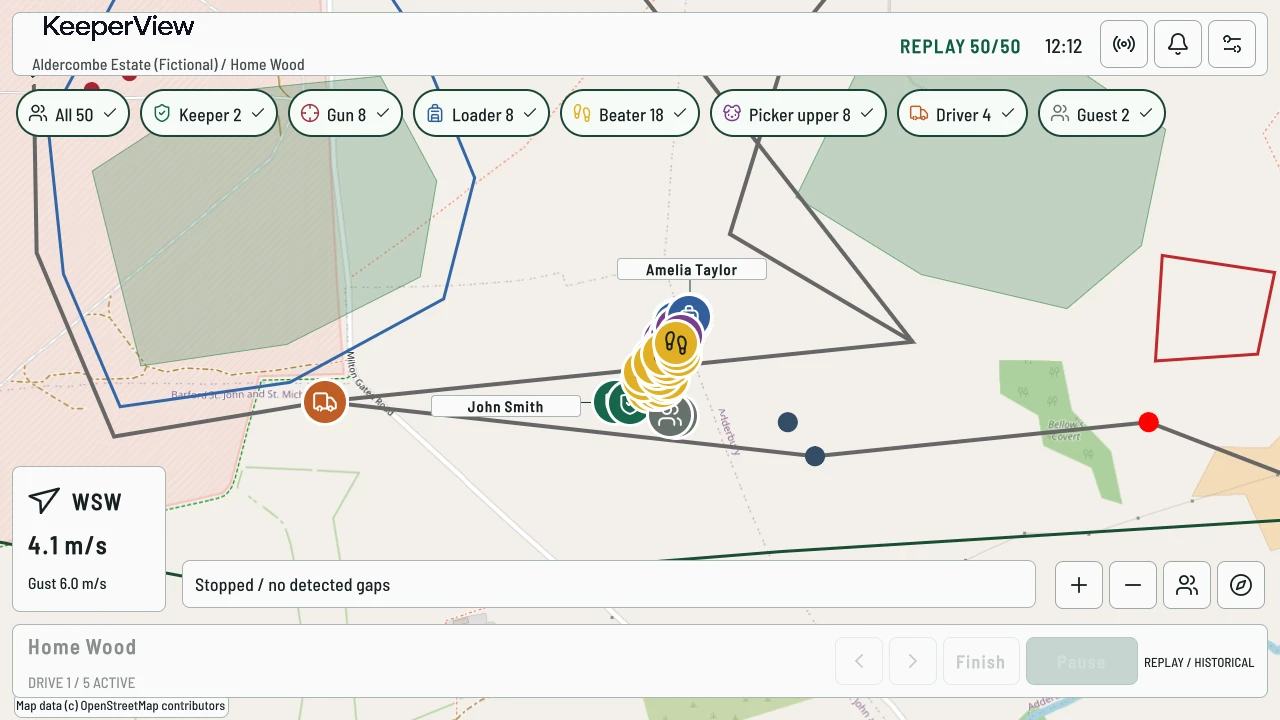
Recorded playback
Choose a local recording and its playback speed. KeeperView shows recorded positions and operational state, not video. The recording browser flags known gaps or an unfinished recording so you know when the record may be incomplete.
Follow participant positions from the data captured by the console, with selection and trails for closer inspection.
Choose a recording and change its playback speed. Select a participant to inspect their recorded position and trail.
See the wind, drive state and alert actions included in the recording. Playback is read-only and does not change the live day.
Recording covers the period it was running; it does not reconstruct reports that were never received. Replay is labelled historical and does not assess whether shooting was safe.
Saved days
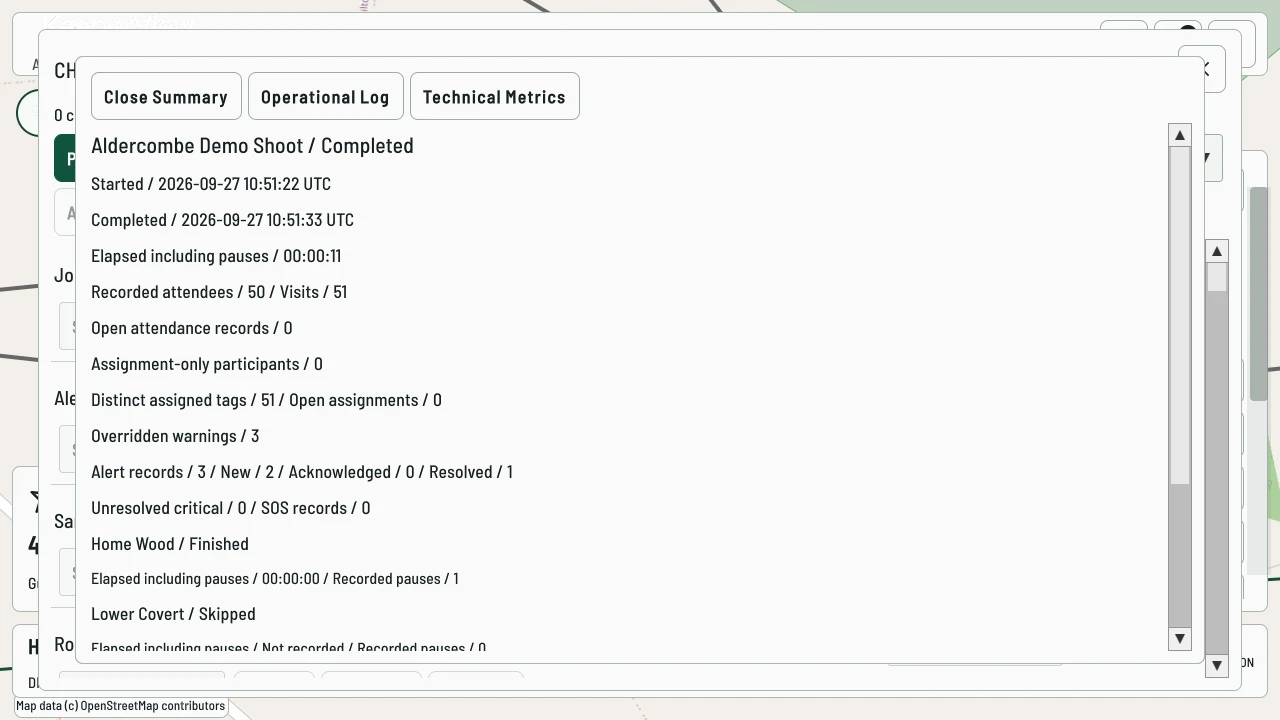
Open a saved day's summary without making it the active day. Review attendance, repeat visits, tag assignments, drive durations and alert counts. Completion warnings and recorded overrides remain available with the day.
Operational log
Page through check-ins, tag assignments, drive transitions and alert actions in sequence. Inspect the recorded operator, time and reason where supplied.
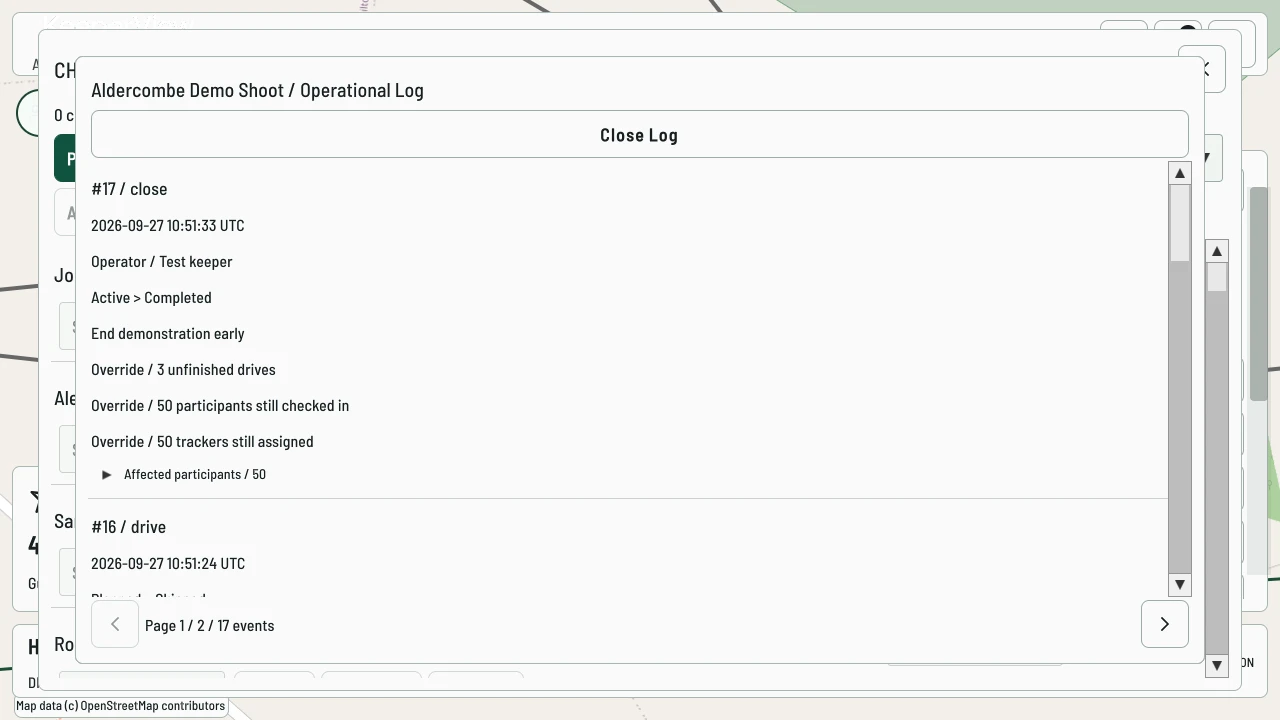
The log records operational actions. It is not a video record or a tamper-proof audit.
Technical metrics
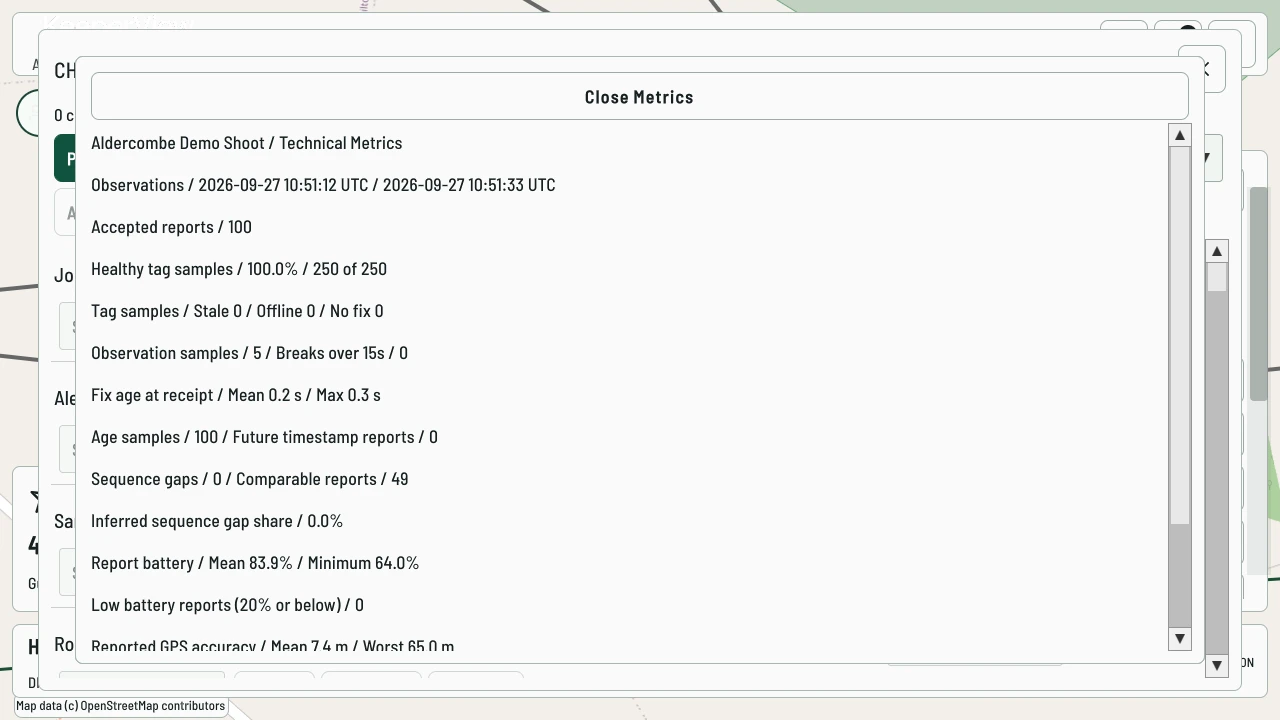
Use the metrics view to investigate accepted reports, position quality and tracking issues. Retention labels distinguish expired records from an empty result.
Your estate. Your system.
Tell us about your team and estate. We’ll discuss the equipment, configuration and setup, then prepare a tailored quotation.