Tracking hardware. Local control. One complete system.
KeeperView brings your shoot together. GPS trackers, a local field hub and tablet-based management software help you coordinate the team, manage drives and keep a clear picture of the day. Equipment, setup and weather options are configured for your estate.
Commercially available · Tailored systems by quotation
GPS trackers & field equipmentEstate maps, drives & day recordsConfigured for your estate
Hardware + software + setupLocal field operationComplete systems available by quotation
Equipment & software, together
The complete KeeperView system.
One estate, one coordinated specification. We bring the equipment, management software and setup together so you can focus on running the shoot.
01 / System component
Personal GPS trackers
With every person, a clearer picture
Portable trackers are assigned to guns, beaters, pickers-up, loaders and other staff. Available position reports help the keeper see the team on the estate map.
Pictured: SenseCAP T1000-E. Photo supplied via The Pi Hut.
02 / System component
LoRaWAN gateway
The link across the estate
The gateway receives reports from compatible trackers and connects the radio network to the local field system. Its placement is part of planning your installation.
Pictured: SenseCAP M2 gateway. Photo supplied via The Pi Hut.
03 / System component
Local field hub
Keep the day close to hand
The field hub processes reports and maintains the shared operational picture locally, so the tracking system does not depend on an internet connection to a cloud service.
Pictured: Local field hub hardware. Photo supplied via OpenELAB.
04 / Configuration option
Weather station
Weather options for your shoot
Discuss local weather monitoring alongside your tracking requirements. Wind display is supported; station equipment and any automatic connection are specified separately.
Pictured: SenseCAP S2120. Photo supplied via The Pi Hut.
05 / System component
KeeperView management console
One place to run the day
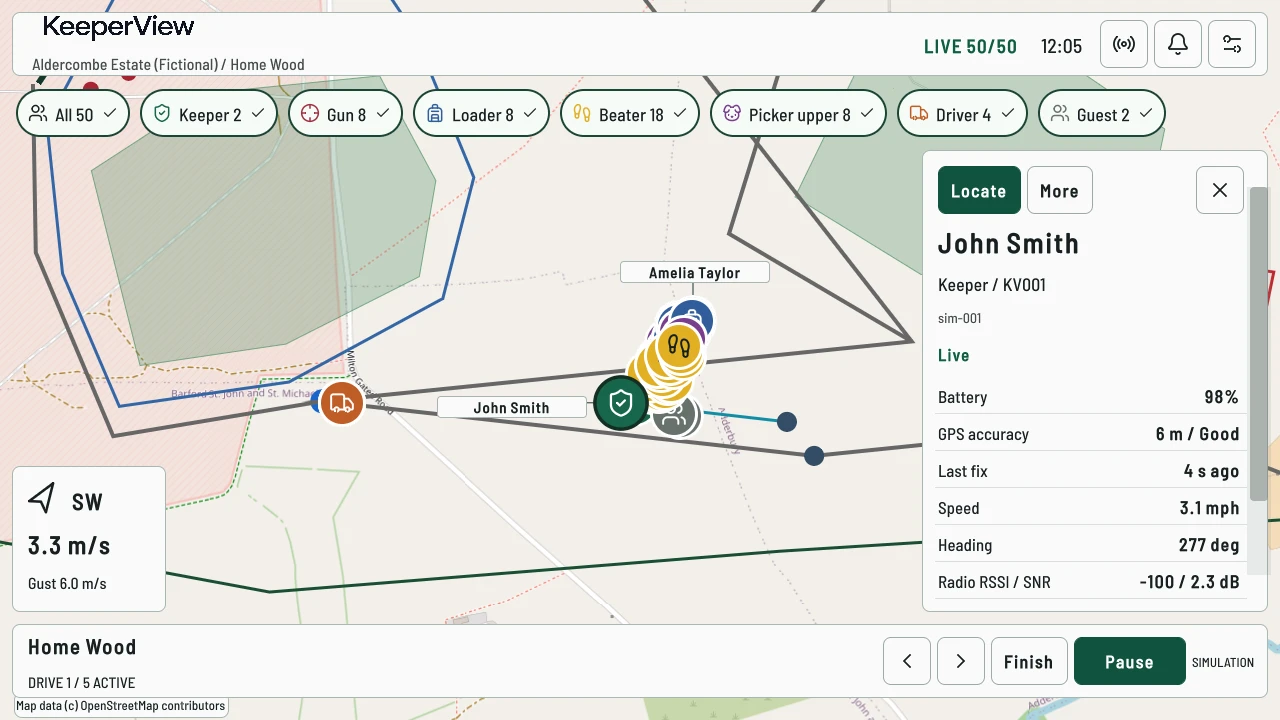
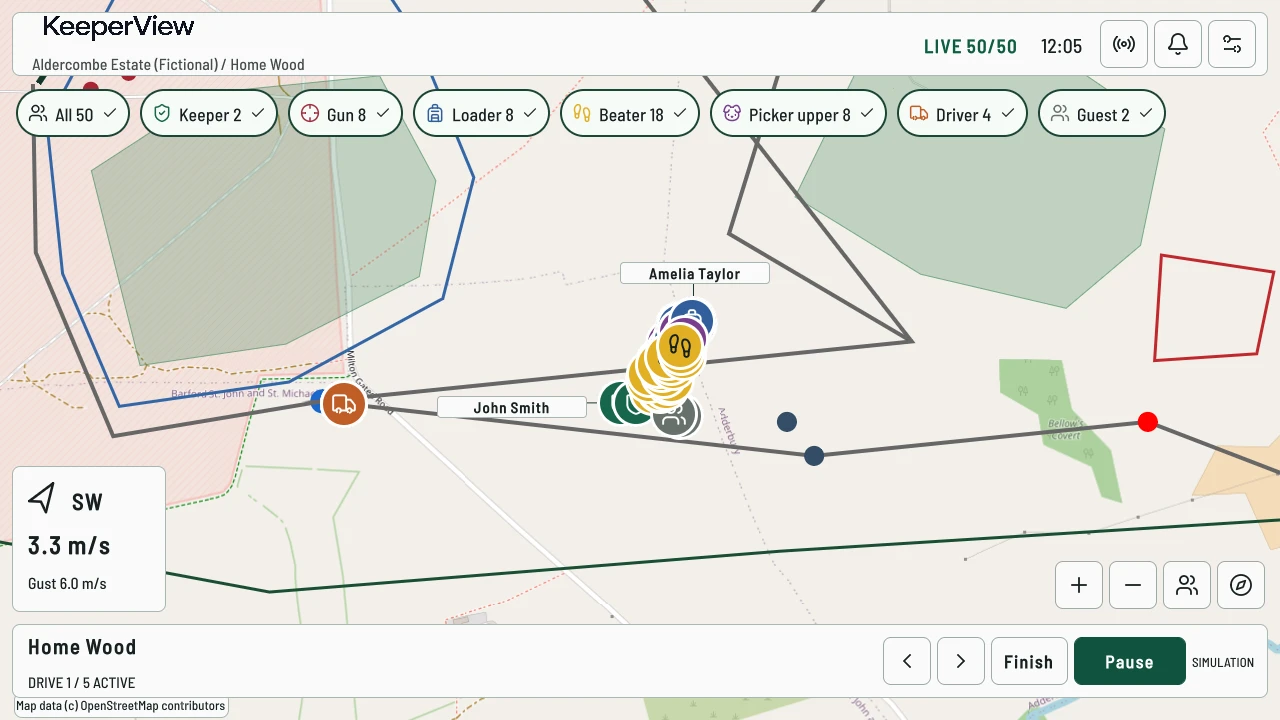
A tablet-based interface brings estate maps, participant roles, drive controls, available wind readings, alerts and shoot-day records into one working view.
Hardware photographs show the equipment identified in the captions. Console image: demonstration estate with simulated data. Your quotation confirms supplied models, quantities, station connectivity and inclusions.
Compatible trackers report through a LoRaWAN gateway to your local field hub. The KeeperView console turns those reports into the picture you use to run the day.
Personal GPS trackersAssigned to participants
LoRaWAN gatewayReceives radio reports
Local field hubProcesses the shared picture
KeeperView consoleDisplays and manages the day
Tracking reports flow through the local field system. Weather-station connectivity is specified separately; no automatic station link is assumed.
Tracking depends on equipment, local network availability and radio reception. Internet independence is not a guarantee of coverage or delivery.
A clearer shoot day
Everything you need to manage the day.
See the team
View available participant positions across your estate, with the age of each fix kept in context.
Know every role
Keep participant identity, attendance and tracker assignment together without confusing them.
Coordinate each drive
Prepare, start, pause and finish drives from a central management console.
Keep conditions in view
Check wind information alongside the map; discuss weather-station options for your installation.
Respond with context
Receive and review tracking and SOS alerts using your established response procedures.
Work locally
Use a local field system, with equipment and map preparation matched to your estate.
Record and review
Revisit recorded movement, saved-day summaries and the operational log after the shoot.
Bring the work together
Reduce the need to switch between separate tracking, attendance and drive administration processes.
01The live overview
Everyone has a role. See the whole team.
From the gun line to the beating team, see role-based positions across the estate. Filter the map and select a participant when you need a closer look.
KeepersGunsLoadersBeatersPicker-uppersDrivers & support
02Drive controls
Run each drive from the map.
Prepare, start, pause, resume and finish the current drive. Participant positions, wind readings and alerts stay in view while you work.
Active drive / demonstration estateDemonstration estate
Drive status
See the current drive and move to the next when it is finished.
Wind readings
Check available wind direction and speed alongside the map.
Alerts
Locate the participant involved, acknowledge the alert and record its resolution.
03Local operation
Prepare for patchy coverage.
Core console functions run locally. Install your offline maps before the shoot and keep recordings on the console for review afterwards.
01
Prepare your estate maps
02
Keep the team in view
03
Record the day locally
Uncached map areas require an internet connection. Field tracking still depends on the local equipment and radio coverage.
04Shoot Review
Keep a record of the day.
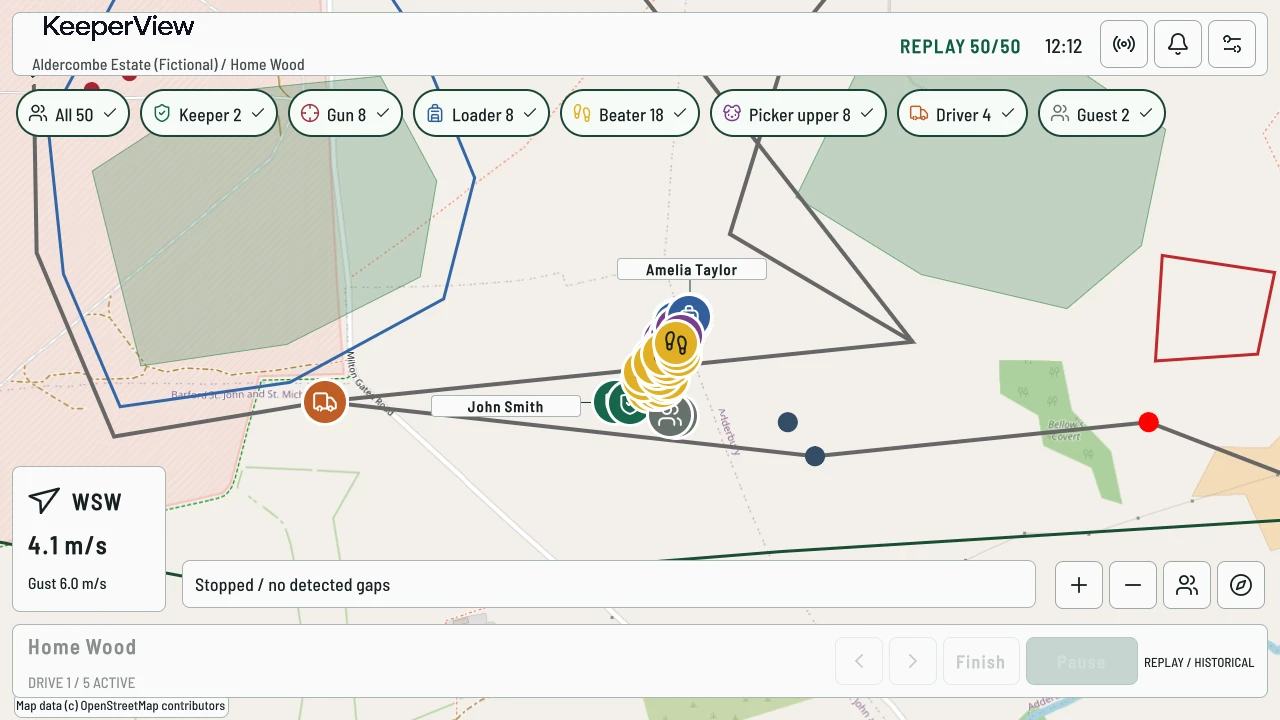
Replay recorded participant movement. Open saved-day summaries for attendance and drive timings, or check the operational log for changes and alert actions.
Recorded playback / demonstration estateDemonstration estateSee Shoot Review
Recorded data playback, not video.
From first check-in to last review
Built around the whole day.
01
Prepare
Set up the estate
02
Check in
Know who is out
03
Run drives
Manage each drive
04
Respond
See what needs attention
05
Finish
Account for the day
06
Review
Look back at what happened
Who it is for
For keepers running organised shoots.
Tell us how many people you coordinate, how your drives are laid out and what you need to keep track of.
Commercial shoots
Manage attendance and roles across a busy day.
Private estates
Keep estate maps and day records in one place.
Syndicates
Track who is out and which tags are assigned.
Multi-drive estates
Work through the drives and retain their timings.
Your estate. Your system.
Let’s put your system together.
Tell us about your team and estate. We’ll discuss the equipment, configuration and setup, then prepare a tailored quotation.